

5.0 on Google & Clutch 96%LIVE of calls answered in under 60 seconds by our local Huntington Beach team

Conference Room Systems That Just Work

Microsoft Teams Rooms, Zoom Rooms, Control4 and Atlona automation — designed, installed and supported by the same local team that runs the rest of your IT. Walk in, tap once, and your meeting starts.

96%LIVE of calls answered in under 60 seconds by our local Huntington Beach team 24×7 NOC & SOC monitoring SOC 2 Type II all five Trust Services Criteria On-site support, included 5.0 on Google & Clutch

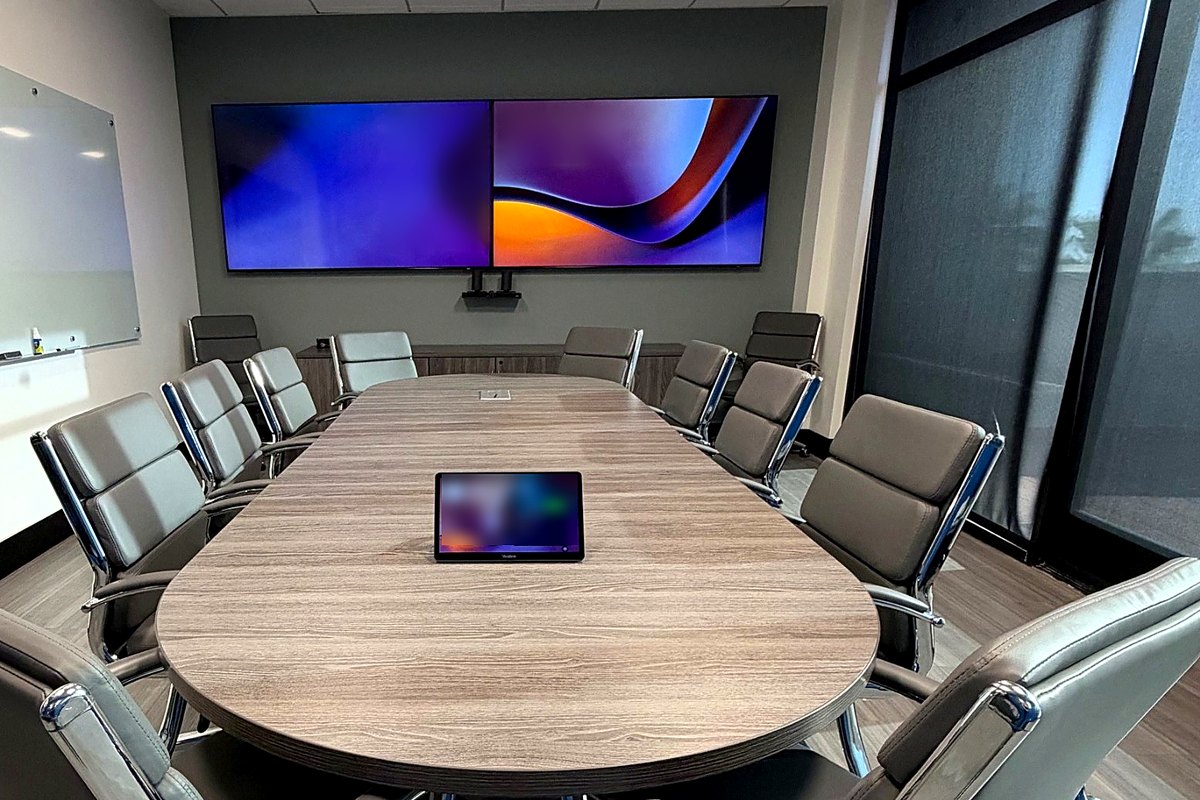
The CAL IT Group conference room in Huntington Beach: dual wall displays, a table-top touch panel and a long boardroom table
This is our conference room — Huntington Beach

One-touch meetings

Walk in, tap once, and your meeting starts.

Display, camera, microphones and room controls are designed, installed and supported as one system, so meetings start on time and the same local team supports the room afterwards.

  • One-touch join from the room's touch panel
  • Display, camera and audio designed as one system
  • Control4 and Atlona room automation
  • Supported by the same local team as the rest of your IT
One touch starts the meeting A conference room seen in perspective: two wall displays with two cameras centered below them, in-ceiling speakers and a microphone, a control panel on the wall and a touchscreen on the table, fourteen chairs with people seated around the table — as they talk, the ceiling microphone picks up each voice — and two laptops on the table, one casting wirelessly and one plugged into the table connection. One tap lowers the window shade, dims the ceiling lights, opens the laptops, turns everything on and joins the meeting; when it ends, the laptops close, the lights come back up and the shade rises. In-ceiling audio Display offDisplay off Wallcontrolpanel Table touchscreen Meeting started ✓

Technology partners

The platforms behind Conference Room Systems

See our partners →
  • Atlona logo
  • Control4 logo
  • HP logo
  • Yealink logo
  • Microsoft logo

Meetings that start on time, every time

Nothing burns the first ten minutes of a meeting like a conference room that won't cooperate — the wrong input on the display, a camera that isn't detected, a remote nobody can find. We design rooms where none of that happens: walk in, tap once, and you're in the meeting, with clear audio for the people in the room and the people dialing in.

Because the same CAL IT Group engineers manage your network, Microsoft 365 and security, your conference rooms aren't an island looked after by an AV vendor who's never seen your environment. They're part of it — monitored, patched and supported like everything else.

The technologies we design around

We build on platforms we trust and know inside out — these are just some of the technologies we use:

  • Microsoft 365

    Microsoft Teams Rooms

    One-touch join from the room's touch panel, meetings pulled straight from the room calendar, content sharing from any laptop, and every room managed centrally alongside the rest of your Microsoft 365 tenant.

    Teams Rooms · Teams admin center
  • Zoom

    Zoom Rooms

    The same one-touch experience for teams that meet on Zoom — scheduling displays outside the room, wireless sharing, whiteboarding and central management of every room from one console.

    Zoom Rooms · scheduling displays
  • Room automation

    Control4

    Lights dim, shades lower and displays wake when a meeting starts — from one button or a scheduled scene. Control4 ties the room's lighting, shades, displays and audio into a single, simple interface.

    Scenes · lighting · shades · audio
  • AV switching & control

    Atlona

    Reliable AV switching, AV-over-IP distribution and control, so laptops, room PCs and cameras reach the right screens across one room or a whole floor — no cable swapping, no stack of remotes.

    Switching · AV-over-IP · control
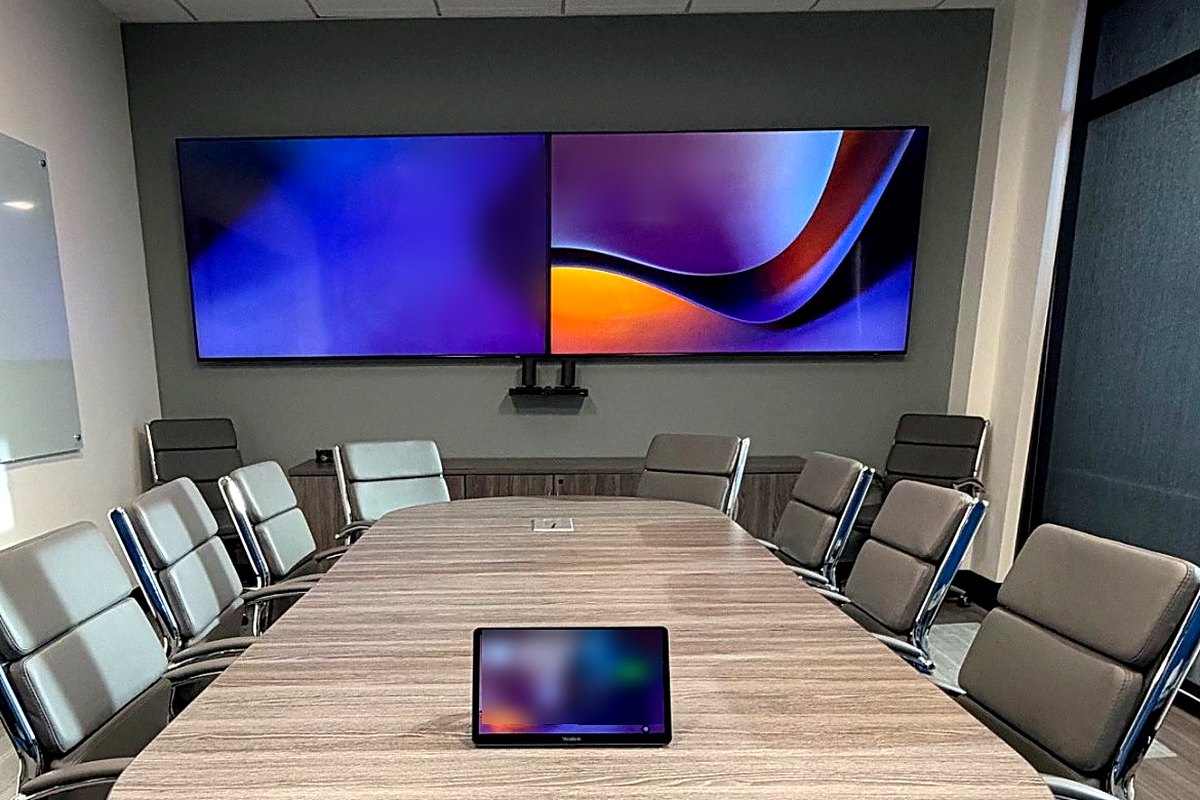
Dual displays, a ceiling camera and a table-top touch panel in the CAL IT Group conference room
Our conference room: Control4 room automation

One touch from walk-in to meeting

  • Join with one tap — the next meeting is on the touch panel, pulled from the room's calendar.
  • Share from anything — any laptop, wired or wireless, in seconds.
  • Sound that carries — ceiling or table microphones and speakers tuned to the room, so remote attendees hear everyone.
  • Cameras that frame the room — intelligent framing follows who's speaking.
  • The room sets itself — lights, shades and displays change with the meeting, then shut down when it's over.

Every kind of room

Huddle rooms

Compact, all-in-one video bars and a single display for quick calls with two to six people — simple enough that no one needs instructions.

Conference rooms

Dedicated room systems with a touch panel, quality cameras and microphones, and wireless content sharing for everyday team and client meetings.

Boardrooms

Multiple displays and cameras, distributed audio and Control4 scenes for the meetings that matter most — with a polished, one-button experience.

Training & all-hands spaces

Atlona switching and distribution to multiple screens, presenter and audience audio, and hybrid participation for larger groups.

From design to day-to-day support

  • Step 1

    Assess

    We walk the room, review how your team meets and check the network, displays, cabling and acoustics you already have.

    Room assessment
  • Step 2

    Design

    A room design and equipment list matched to the platform you meet on — quoted as a fixed fee before any work starts.

    Fixed-fee quote
  • Step 3

    Install & configure

    Installation, network and security configuration, Teams or Zoom Rooms setup and Control4 or Atlona programming — tested until it's one-touch.

    Install · program · test
  • Step 4

    Manage & support

    Rooms are monitored and updated alongside the rest of your environment, and conferencing A/V support is included in Managed Care.

    Included in Managed Care

Rooms we've built for clients

A few of the conference rooms we've designed, installed and support for Orange County clients — from a huddle room running Atlona A/V control to a full boardroom.
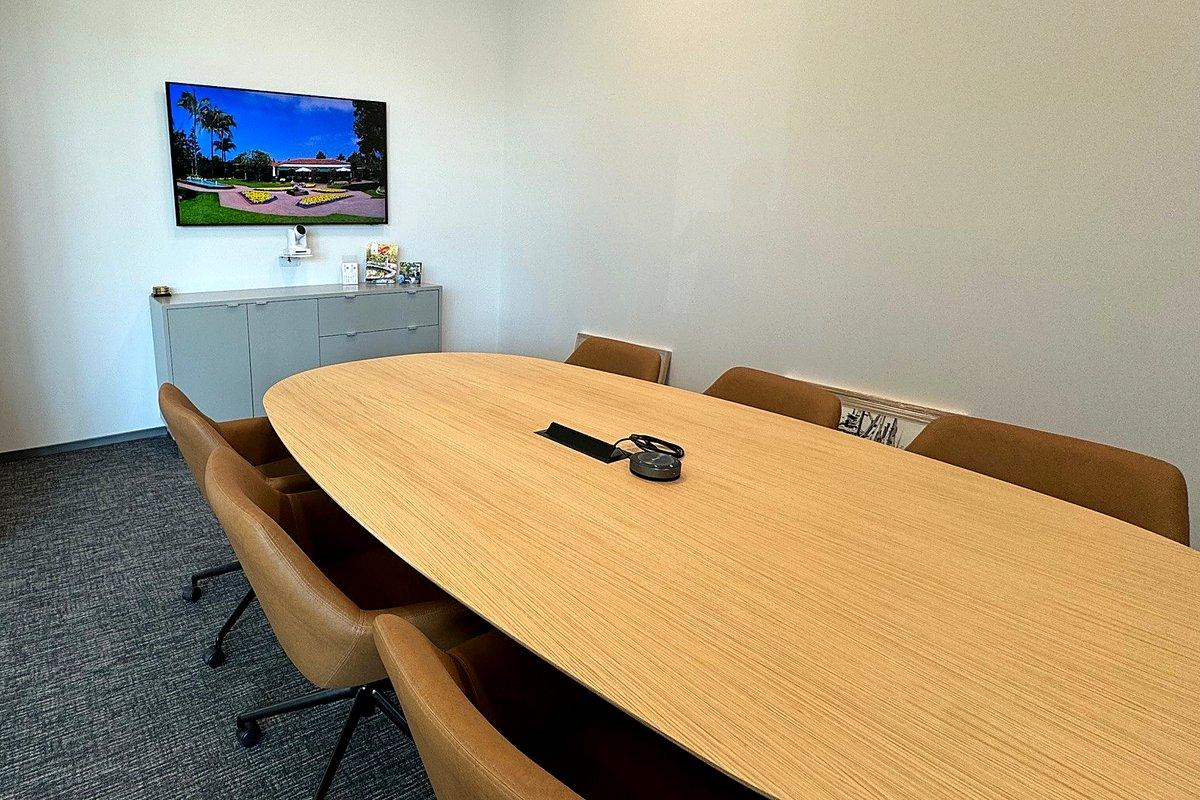
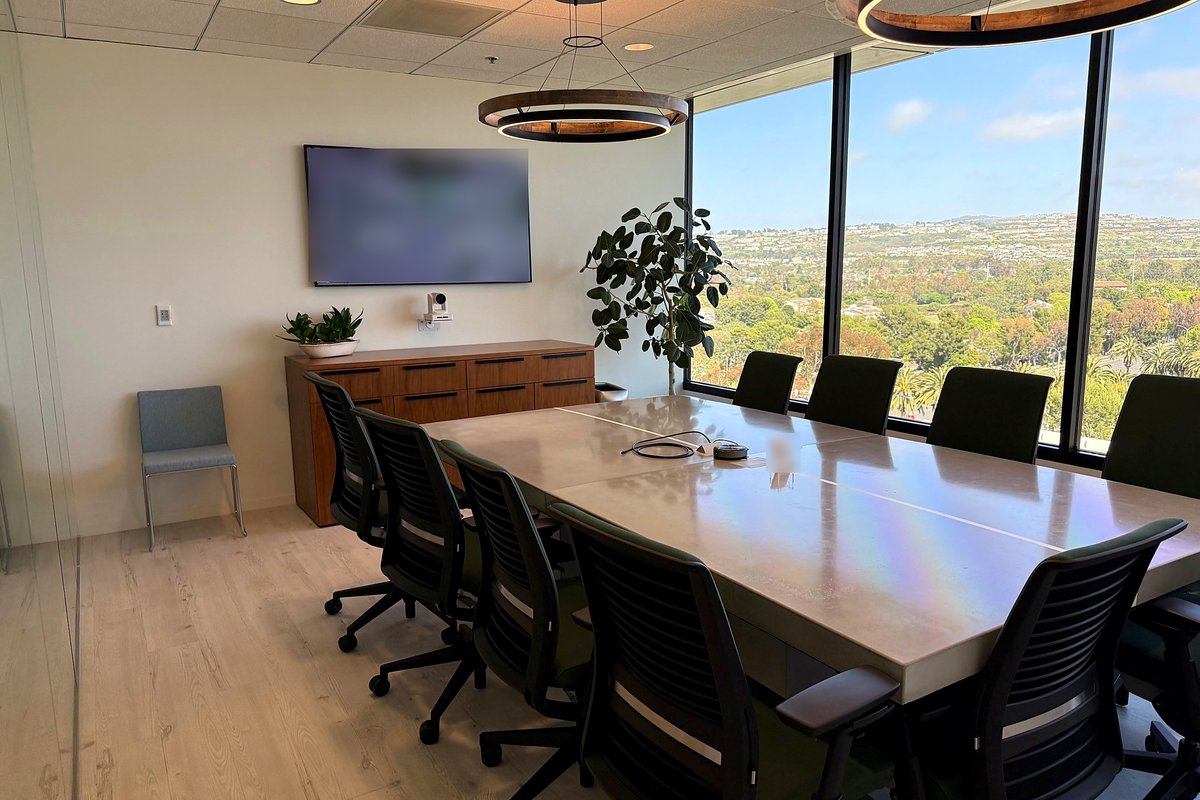
A client's small conference room with a wall display, a video camera and a table speakerphone
Client huddle room — Atlona A/V control
A client's boardroom with a wall display, a video camera and a long table overlooking the hills
Client boardroom

Plan a conference room Managed VoIP solutions

Microsoft Teams, Zoom, Control4 and Atlona are trademarks of their respective owners.

What sets us apart

Fast response, deep security, senior expertise and engineers on-site.

<60 sec to a live engineer

Response time you can measure

96%LIVE of calls are answered by an engineer in under 60 seconds, every ticket is assigned in under 10 minutes, and every email or portal ticket gets a real engineer within 20 minutes (Mon–Fri, 5 AM–6 PM). Calls never go to voicemail during service desk hours, and the same team is on call 24×7.

See the live numbers →

24×7 NOC & SOC MSSP-grade security

A security provider, not just an IT provider

We operate as a managed security service provider (MSSP): SentinelOne MxDR, a 24×7 NOC & SOC, managed SIEM, DefensX browser security, security awareness training, vulnerability management, penetration testing and CMMC support — run by a team audited for SOC 2 Type II across all five Trust Services Criteria.

Our security services →

55+ years of combined experience

Senior technical expertise behind every ticket

Led by hands-on co-founders Kevin Nichols and Joe Kemp, with 55+ years of combined IT experience. Every engineer passes a technical assessment, we staff above our workload, and nobody works on something they’ve never seen before without an experienced engineer alongside — no call center, no offshore tier.

Meet the founders →

On-site included, no trip fees

Engineers who come to you

When hands-on work is needed, a local engineer is dispatched from our Huntington Beach office. On-site support is included in Managed Care — no dispatch fees, trip charges or hourly on-site rates — from the same team that knows your environment.

Areas we serve →

We re-earn your business on every ticket. No contract ever replaces doing the work well. Every user who opens a ticket gets a satisfaction survey when it closes, and every score is visible to our whole team and leadership — the averages are published live for anyone to see.

See our survey results →

Best-of-breed, by design

Industry-leading tools, chosen and run by engineers

We’re technology agnostic: we don’t resell a single vendor’s bundle or push the platform with the best margin. Every tool we recommend is a best-of-breed industry leader — selected, tested and configured by our own engineers because it’s right for your business.

Our leadership team is highly technical. Our co-founders, Kevin Nichols and Joe Kemp, are hands-on engineers, not just managers, and they constantly re-evaluate our tools and service offering — retiring what falls behind and adding what keeps clients ahead. You get enterprise-class technology that keeps improving, without lifting a finger.

  • SentinelOneMxDR endpoint protection
  • Microsoft DefenderPlan 2 & Intune device management
  • QualysVulnerability management
  • LiongardConfiguration & change monitoring
  • NinjaOneRemote monitoring & patching
  • 24×7 NOC & SOCManaged SIEM & threat hunting
  • Veeam + AzureBackup & off-site replication
  • Azure Site RecoveryCloud disaster recovery

Just some of the technologies we use.

Conference Room Systems FAQs

Should we choose Microsoft Teams Rooms or Zoom Rooms?

It depends on the platform your team already meets on. If you live in Microsoft 365 and Teams, Teams Rooms gives one-touch join, calendar integration and central management in the Teams admin center. If most of your meetings are on Zoom, Zoom Rooms is the natural fit. Both can join the other platform's meetings, and we'll recommend what fits how you actually work.

What do Control4 and Atlona add to a conference room?

Control4 ties the room together — lighting, shades, displays and audio respond to one button or a scheduled scene. Atlona handles the AV: switching, AV-over-IP distribution and control, so laptops, room PCs and cameras route to the right screens without a tangle of cables and remotes.

Is conference room support included in Managed Care?

Yes. Conferencing A/V support for the rooms in your environment is included in Managed Care — we monitor and support them like any other managed system. New room builds and upgrades are projects, quoted as a fixed fee before work starts.

Can you upgrade the rooms we already have?

Usually, yes. We start by assessing your existing displays, cameras, microphones and cabling, then reuse what's sound and replace only what's holding the room back.

Success stories

Rated 5.0 on Google and Clutch.

Real reviews from the businesses we support — not a curated quote wall.

★★★★★Google
“Knowledgeable and proactive group that partners with you to assure your objectives are met, along with planning for future needs. All balanced with supporting your business day in and day out with a friendly, responsive and competent help desk. Recommend and would select them again!”
Tom G
★★★★★Google
“CAL IT has been a game changer for us. They tackle issues quickly and efficiently for us. So grateful their expertise. I highly recommend their services.”
Kelli Foudy
★★★★★Google
“We have worked with Cal It for several years now, They are very responsive and professional. We would highly recommend them.”
Cathy Goff

Customer service first · we re-earn your business on every ticket

Obsessive about service. Relentless about the details.

CAL IT Group brings enterprise-class IT, cybersecurity and SOC 2 Type II–audited operational excellence to small and midsize businesses across Southern California — a customer service organization first and foremost, proven day in and day out for over 10 years.

Call 866.24.CALIT